Neuroartica
Complete User Guide to AI Image Generation and Editing Полное руководство по генерации и редактированию изображений с помощью ИИ
Quick Start Guide Быстрый старт
Get started with Neuroartica in minutes Начните работу с Neuroartica за несколько минут
For Beginners Для начинающих
Start with Z-Image-Turbo Начните с Z-Image-Turbo
Ultra-fast generation with prompt expansion enabled Ультра-быстрая генерация с включенным расширением промптов
Use Simple Prompts Используйте простые промпты
Let prompt expansion enhance your basic descriptions Позвольте расширению промптов улучшить базовые описания
Experiment Freely Экспериментируйте свободно
Low cost (2 gens/MP) enables rapid learning Низкая стоимость (2 генерации/МП) позволяет быстро учиться
For Advanced Users Для продвинутых пользователей
Master Flux-2-Klein-Edit Освойте Flux-2-Klein-Edit
Multi-reference style migration for professional results Многореференсный перенос стиля для профессиональных результатов
Leverage ControlNet Используйте ControlNet
Structural precision with Canny, Depth, and OpenPose Структурная точность с Canny, Depth и OpenPose
4K Resolution Разрешение 4K
Nano-Banana-Pro-Edit for professional output Nano-Banana-Pro-Edit для профессионального вывода
First Steps in Telegram Первые шаги в Telegram
Open Telegram Откройте Telegram
Search for Neuroartica bot Найдите бота Neuroartica
Click Start Нажмите Start
Or send /start command Или отправьте команду /start
Begin Creating Начните создавать
Use Set Prompt button Используйте кнопку Set Prompt
1. Getting Started with Neuroartica 1. Начало работы с Neuroartica
Your gateway to AI-powered image generation and editing Ваш портал к генерации и редактированию изображений с помощью ИИ
Accessing the Bot Доступ к боту
To begin your creative journey with Neuroartica, open the Telegram application
on your mobile device or desktop and utilize the search functionality to locate the bot.
Once identified, initiate interaction by clicking the Start button
prominently displayed at the bottom of the chat interface, or alternatively, send the
/start or
/menu
command manually.
Чтобы начать творческое путешествие с Neuroartica, откройте приложение Telegram
на мобильном устройстве или рабочем столе и используйте функцию поиска для нахождения бота.
После этого начните взаимодействие, нажав кнопку Start,
отображаемую в нижней части интерфейса чата, или отправьте команду
/start или
/menu
вручную.
The Telegram platform provides persistent chat history, allowing you to review previous generations and prompts while supporting rich media interactions essential for uploading reference images and downloading high-resolution outputs. Платформа Telegram сохраняет историю чата, позволяя вам просматривать предыдущие генерации и промпты, а также поддерживает мультимедийные взаимодействия, необходимые для загрузки референсных изображений и скачивания изображений в высоком разрешении.
Initial Setup Начальная настройка
Upon first contact, Neuroartica leverages Telegram's native user identification system to automatically authenticate your session, eliminating the need for separate passwords or account creation. При первом контакте Neuroartica использует нативную систему идентификации пользователей Telegram для автоматической аутентификации вашей сессии, исключая необходимость в отдельных паролях или создании аккаунта.
- Automatic profile creation Автоматическое создание профиля
- Persistent settings across devices Сохранение настроек на всех устройствах
- Default optimized parameters Оптимизированные параметры по умолчанию
Welcome Screen Приветственный экран
The welcome screen functions as your operational dashboard, presenting seven primary action buttons arranged for intuitive navigation. Приветственный экран функционирует как ваша панель управления, представляя семь основных кнопок действий, расположенных для интуитивной навигации.
Understanding Your Workspace Понимание рабочего пространства
Free vs Paid Modes Бесплатный и платный режимы
Profile Management Управление профилем
Tutorial Channel Канал обучения
3. Managing Your Image Gallery and References 3. Управление галереей изображений и референсами
Organizing assets for enhanced generation capabilities Организация ассетов для улучшения возможностей генерации
Uploading Assets Загрузка ассетов
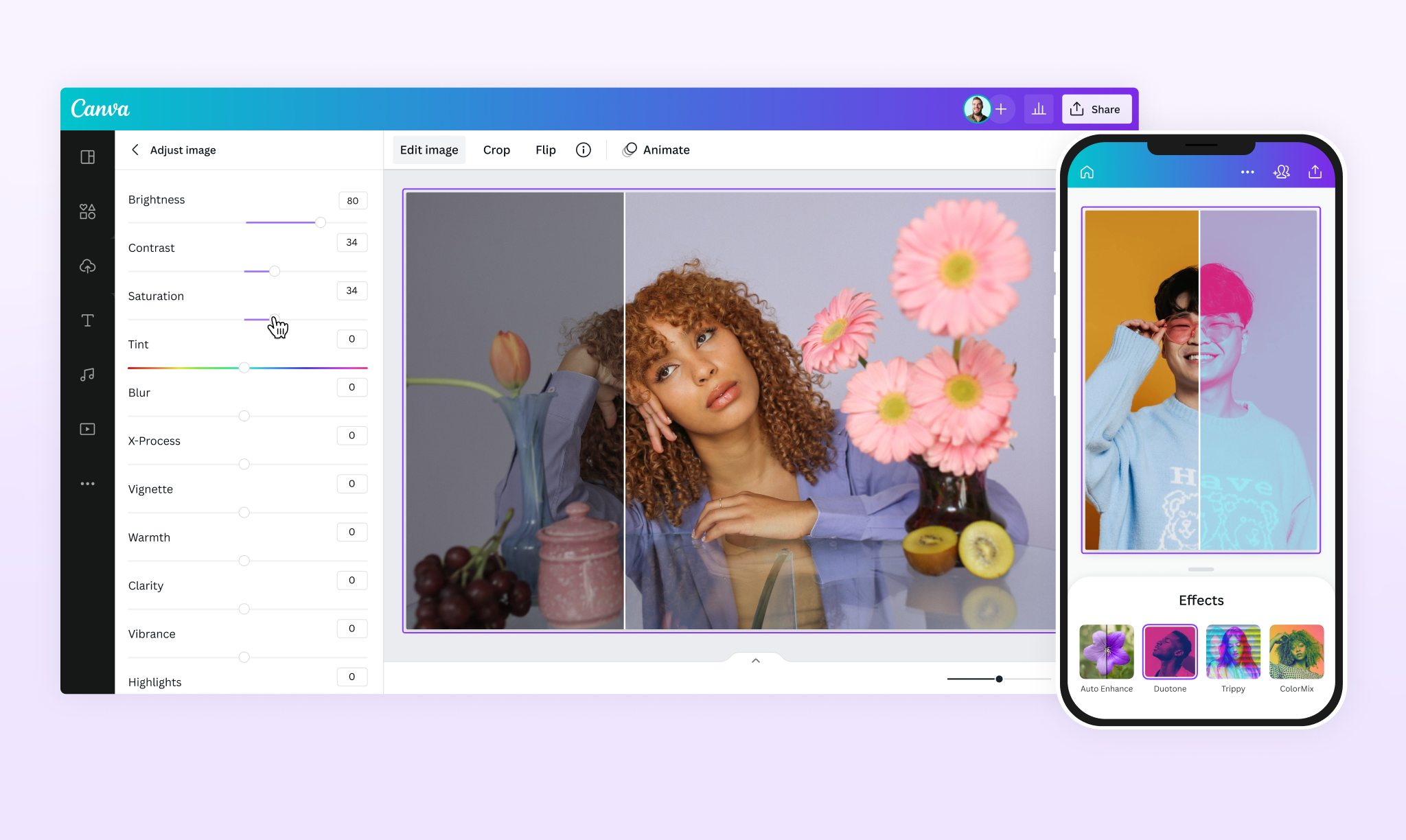
Supported formats include JPEG, PNG, and WebP, with server-side optimization ensuring compatibility across different model requirements. Поддерживаемые форматы включают JPEG, PNG и WebP, с оптимизацией на сервере, обеспечивающей совместимость с различными требованиями моделей.
Image Types Типы изображений
Reference Images (Ref 1-N) Референсные изображения (Ref 1-N)
Style guidance without rigid spatial constraints Стилевое наведение без жестких пространственных ограничений
ControlNet Types Типы ControlNet
Processing Modes Режимы обработки

RAW Mode Режим RAW
For preprocessed ControlNet images Для предварительно обработанных изображений ControlNet
Preprocess Mode Режим предварительной обработки
For direct photos and automatic conversion Для прямых фотографий и автоматического преобразования
Gallery Navigation and Management Навигация и управление галереей
Navigation Controls Элементы навигации
The gallery interface employs Previous and Next button controls to facilitate sequential browsing through your image collection, presenting one asset at a time with detailed configuration options. Интерфейс галереи использует кнопки управления Previous (Назад) и Next (Вперед) для облегчения последовательного просмотра вашей коллекции изображений, представляя один ассет за раз с подробными опциями конфигурации.
Key Features: Ключевые особенности:
- • Dynamic boundary adaptationДинамическая адаптация границ
- • Mobile swipe gesture supportПоддержка жестов на мобильных устройствах
- • Real-time configuration adjustmentsКорректировки конфигурации в реальном времени
- • Focused examination paradigmПарадигма сфокусированного изучения
Configuration Options Опции конфигурации
Set as Reference Установить как референс
Assign to Ref 1-N slots for style guidance Назначьте слотам Ref 1-N для стилевого наведения
ControlNet Assignment Назначение ControlNet
Configure as Canny, Depth, or OpenPose type Настройте как тип Canny, Depth или OpenPose
RAW/Preprocess Mode Режим RAW/Preprocess
Select appropriate processing method Выберите подходящий метод обработки
Delete Management Управление удалением
Remove obsolete assets and manage storage Удаляйте устаревшие ассеты и управляйте хранилищем
4. AI Models Overview and Selection Strategy 4. Обзор ИИ моделей и стратегия выбора
Understanding the six distinct architectures and their optimal use cases Понимание шести различных архитектур и их оптимального использования
| Model Модель | LoRA Support | ControlNet | Negative Prompts Негативные промпты | CFG Adjustment | Reference Images Референсные изображения | Max Resolution Макс. разрешение | Special Capabilities Особые возможности |
|---|---|---|---|---|---|---|---|
| Z-Image-Turbo | 3 slots | ✅ Canny, Depth, OpenPose | ❌ No | Fixed 0.0 | ❌ No | 1024×1024 | Ultra-fast (8-12 steps), Bilingual text, Prompt expansion Ультра-быстрый (8-12 шагов), двуязычный текст, расширение промптов |
| Z-Image-Base | 3 slots | ❌ No | ❌ No | ✅ Yes (0-20) | ❌ No | Variable | LoRA-focused generation, Image size options Генерация на основе LoRA, опции размера изображения |
| Qwen-Image-Edit-MAX | ❌ No | ❌ No | ✅ Yes | ❌ No | ✅ Yes (Edit mode) | Variable | Advanced realism, Multi-image fusion, Prompt expansion Продвинутый реализм, слияние нескольких изображений, расширение промптов |
| Qwen-Image-Edit-2511 | 3 slots | ❌ No | ✅ Yes | ✅ Yes (0-20) | ✅ Yes | Variable | Balanced control, Step adjustment, Acceleration Сбалансированное управление, настройка шагов, ускорение |
| Nano-Banana-Pro-Edit | ❌ No | ❌ No | ❌ No | ❌ No | ✅ Yes | Up to 4K | Web search integration, Natural language editing Интеграция веб-поиска, редактирование на естественном языке |
| Flux-2-Klein-Edit | 3 slots | ❌ No | ✅ Yes | ✅ Yes (0-20) | ✅ Yes (1-3 refs) | 1024×1024 | Multi-reference style migration, High-detail output Многореференсный перенос стиля, вывод с высокой детализацией |
Speed Optimized Оптимизация скорости
Utilizing a 6B parameter single-stream diffusion transformer to produce usable outputs in under 5 seconds. Использование однопоточного диффузионного трансформера с 6B параметрами для создания пригодных результатов менее чем за 5 секунд.
Balanced Performance Сбалансированная производительность
Versatile CFG control and LoRA support with moderate processing requirements. Универсальное управление CFG и поддержка LoRA с умеренными требованиями к обработке.
Quality Optimized Оптимизация качества
9B+ parameter models delivering superior texture fidelity and coherence for professional output. Модели с 9B+ параметрами, обеспечивающие превосходную текстурную точность и согласованность для профессионального вывода.
Model Selection Guidelines Рекомендации по выбору модели
For Beginners Для начинающих
Start with Z-Image-Turbo Начните с Z-Image-Turbo
Enable Prompt Expansion for automatic enhancement Включите расширение промптов для автоматического улучшения
Use Square Aspect Ratio Используйте квадратное соотношение сторон
Most economical at 2 generations per MP Наиболее экономично при 2 генерациях на МП
Preprocess Mode Режим предварительной обработки
For ControlNet experiments without technical barriers Для экспериментов с ControlNet без технических барьеров
For Advanced Users Для продвинутых пользователей
Flux-2-Klein-Edit
Multi-reference style migration for complex projects Многореференсный перенос стиля для сложных проектов
Nano-Banana-Pro-Edit
4K resolution for professional output Разрешение 4K для профессионального вывода
ControlNet Integration Интеграция ControlNet
Structural precision with Z-Image-Turbo Структурная точность с Z-Image-Turbo
5. Z-Image-Turbo: Ultra-Fast Instruction-Based Generation 5. Z-Image-Turbo: Ультра-быстрая генерация на основе инструкций
Mastering the speed-optimized model with unique prompting requirements Овладение моделью, оптимизированной по скорости, с уникальными требованиями к промптам
Important Architectural Differences Важные архитектурные различия
⚠️ No Negative Prompts Нет негативных промптов
All constraints must be integrated into the positive prompt using explicit exclusion statements. Все ограничения должны быть интегрированы в позитивный промпт с использованием явных утверждений исключения.
⚠️ Guidance Scale = 0 Масштаб наведения = 0
CFG settings have minimal effect. Control through precise language instead. Настройки CFG имеют минимальный эффект. Управляйте через точный язык.
✅ Bilingual Support Двуязычная поддержка
Native English and Chinese text rendering capabilities. Нативные возможности рендеринга текста на английском и китайском языках.
Optimal Configuration Оптимальная конфигурация
Recommended Steps: 8-12 Рекомендуемые шаги: 8-12
Prompt Expansion Расширение промптов
Automatically analyzes inputs and expands them into detailed structural format with lighting, camera, and quality specifications. Автоматически анализирует входы и расширяет их в подробный структурный формат с указанием освещения, камеры и спецификаций качества.
Example: "a cat in a garden" → "fluffy orange tabby cat sitting in lush English cottage garden, morning sunlight, photorealistic, 8K resolution, sharp focus" Пример: "кот в саду" → "пушистый рыжий полосатый кот сидит в пышном английском коттеджном саду, утренний свет, фотореалистичность, разрешение 8K, четкий фокус"
ControlNet Integration Интеграция ControlNet
Scale Parameter (0.5-1.5) Параметр масштаба (0.5-1.5)
Controls overall strength of ControlNet influence Управляет общей силой влияния ControlNet
Start Parameter (0.0-0.3) Параметр начала (0.0-0.3)
When ControlNet influence begins Когда начинается влияние ControlNet
End Parameter (0.8-1.0) Параметр конца (0.8-1.0)
When ControlNet influence terminates Когда заканчивается влияние ControlNet
The Nine-Component Prompt Structure
Z-Image-Turbo works best with long, detailed prompts structured in this specific order:
1. Shot & Subject
"Medium close-up portrait of a 28-year-old Chinese woman..."
2. Age & Appearance
"delicate features, large expressive brown eyes, long wavy black hair..."
3. Clothing & Modesty
"elegant red silk cheongsam with intricate gold embroidery..."
4. Environment/Background
"traditional Chinese tea house with wooden lattice windows..."
5. Lighting
"warm golden hour lighting streams through rice paper screens..."
6. Mood
"serene, dignified, and culturally rich atmosphere..."
7. Style/Medium
"photorealistic portrait photography with shallow depth of field..."
8. Technical Notes
"shot on 85mm lens at f/2.0, 8K resolution, subsurface scattering..."
9. Safety/Cleanup
"no modern elements, no anachronistic objects, clean composition..."
Complete Example Prompt
"Medium close-up portrait of a 28-year-old Chinese woman with delicate features, large expressive brown eyes, and long wavy black hair styled in a traditional updo with jade hairpins. She wears an elegant red silk cheongsam with intricate gold embroidery featuring dragon and phoenix motifs. The setting is a traditional Chinese tea house with wooden lattice windows and bamboo plants visible in the soft-focus background. Warm golden hour lighting streams through rice paper screens creating a soft, diffused glow. The mood is serene, dignified, and culturally rich. Style: photorealistic portrait photography with shallow depth of field. Technical: shot on 85mm lens at f/2.0, 8K resolution, subsurface scattering for realistic skin texture. A wooden table in the foreground holds a porcelain teacup with visible Chinese characters '茶' (tea) and English text 'Premium Tea' on a small placard. No modern elements, no anachronistic objects, clean composition, no text other than specified titles."
6. Z-Image-Base: LoRA-Centric Generation with CFG Control 6. Z-Image-Base: Генерация на основе LoRA с управлением CFG
Leveraging Low-Rank Adaptation for custom style application Использование адаптации низкого ранга для применения пользовательских стилей
LoRA Support (3 Slots) Поддержка LoRA (3 слота)
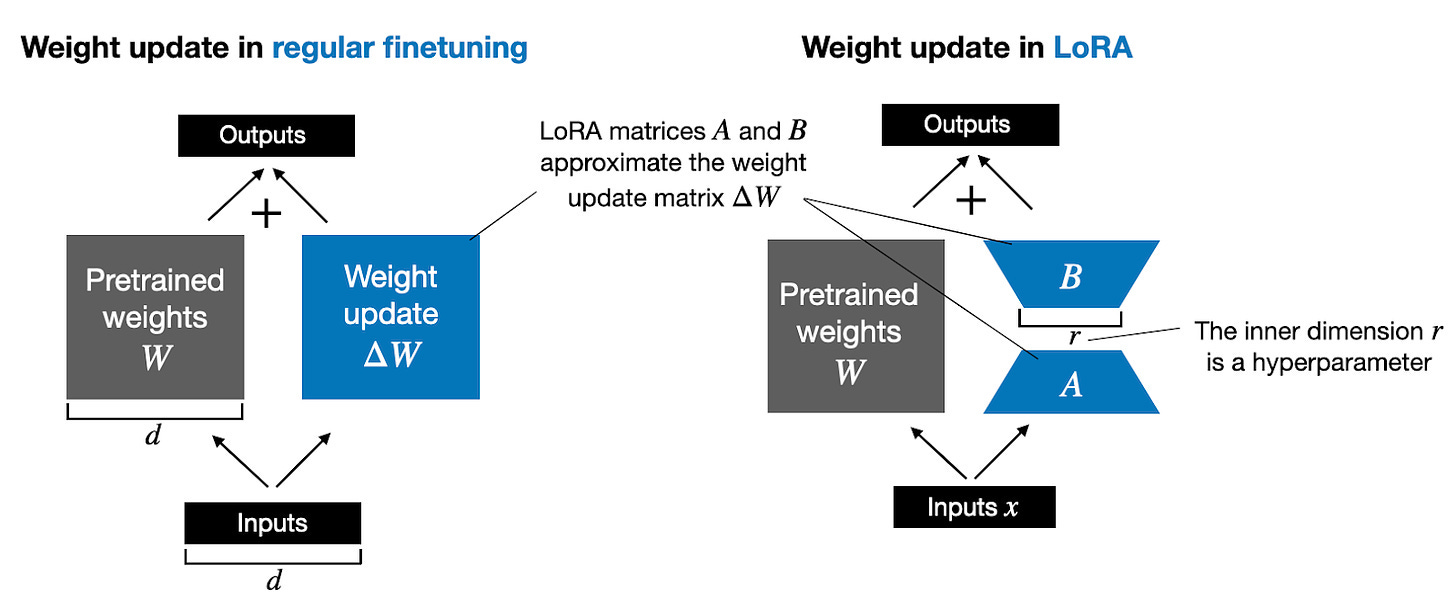
Load up to three distinct LoRA models simultaneously, with weight parameters (0.0-1.0+) controlling each adaptation's influence intensity. Загрузите до трех различных моделей LoRA одновременно, с параметрами веса (0.0-1.0+) управляющими интенсивностью влияния каждой адаптации.
Character LoRA (0.7) LoRA персонажа (0.7)
Maintains specific identity or subject consistency Поддерживает конкретную идентичность или согласованность субъекта
Style LoRA (0.5) LoRA стиля (0.5)
Applies artistic treatment or aesthetic signature Применяет художественную обработку или эстетическую подпись
Detail LoRA (0.3) LoRA деталей (0.3)
Enhances specific features like eyes or textures Улучшает конкретные особенности, такие как глаза или текстуры
CFG Adjustment (0-20) Настройка CFG (0-20)
Pro Tip Профессиональный совет
Use fixed seeds when tuning CFG values to isolate the impact of guidance changes from random variation. Используйте фиксированные сиды при настройке значений CFG, чтобы изолировать влияние изменений наведения от случайной вариации.
Workflow Limitations and Solutions Ограничения рабочего процесса и решения
No ControlNet Support Нет поддержки ControlNet
Cannot utilize structural guidance from edge maps, depth information, or pose data. Невозможно использовать структурное наведение с карт краев, информации о глубине или данных поз.
Workaround: Use detailed spatial descriptions or transition to Z-Image-Turbo for structural precision needs. Решение: Используйте подробные пространственные описания или перейдите на Z-Image-Turbo для потребностей в структурной точности.
No Reference Images Нет референсных изображений
Limited to pure text-to-image generation without visual style transfer capabilities. Ограничено чистой генерацией текст-в-изображение без возможностей визуального переноса стиля.
Workaround: Develop detailed style descriptions within prompts and maintain consistent seeds. Решение: Разрабатывайте подробные стилевые описания в промптах и поддерживайте согласованность сидов.
When to Choose Base Когда выбирать Base
Select when workflow requires CFG adjustment or LoRA integration without structural guidance. Выберите, когда рабочий процесс требует настройки CFG или интеграции LoRA без структурного наведения.
Ideal for: Artistic exploration, character generation with custom LoRAs, batch workflows. Идеально для: Художественного исследования, генерации персонажей с пользовательскими LoRA, пакетных рабочих процессов.
LoRA Support (3 Slots)
Load up to three distinct LoRA models simultaneously, with weight parameters (0.0-1.0+) controlling each adaptation's influence intensity.
Character LoRA (0.7)
Maintains specific identity or subject consistency
Style LoRA (0.5)
Applies artistic treatment or aesthetic signature
Detail LoRA (0.3)
Enhances specific features like eyes or textures
CFG Adjustment (0-20)
Pro Tip
Use fixed seeds when tuning CFG values to isolate the impact of guidance changes from random variation.
Workflow Limitations and Solutions
No ControlNet Support
Cannot utilize structural guidance from edge maps, depth information, or pose data.
Workaround: Use detailed spatial descriptions or transition to Z-Image-Turbo for structural precision needs.
No Reference Images
Limited to pure text-to-image generation without visual style transfer capabilities.
Workaround: Develop detailed style descriptions within prompts and maintain consistent seeds.
When to Choose Base
Select when workflow requires CFG adjustment or LoRA integration without structural guidance.
Ideal for: Artistic exploration, character generation with custom LoRAs, batch workflows.
12. Generation Economics and Cost Optimization 12. Экономика генерации и оптимизация стоимости
Understanding credit consumption and maximizing value Понимание потребления кредитов и максимизация ценности
Cost per Generation Стоимость за генерацию
Resolution Impact Влияние разрешения
Z-Image-Turbo
Fixed 1024×1024 regardless of dimensions Фиксировано 1024×1024 независимо от размеров
Qwen Models Модели Qwen
Variable resolution based on configuration Переменное разрешение в зависимости от конфигурации
Nano-Banana
Up to 4K output with significant cost scaling Вывод до 4K с значительным масштабированием стоимости
Reference Scaling Масштабирование референсов
Flux-2-Klein-Edit
10-11 gens (1 ref), 15-20 gens (3 refs)
Orientation Impact Влияние ориентации
Square costs more than horizontal/vertical Квадрат стоит больше, чем горизонтальный/вертикальный
Optimization Оптимизация
Test with single references first Сначала тестируйте с одиночными референсами
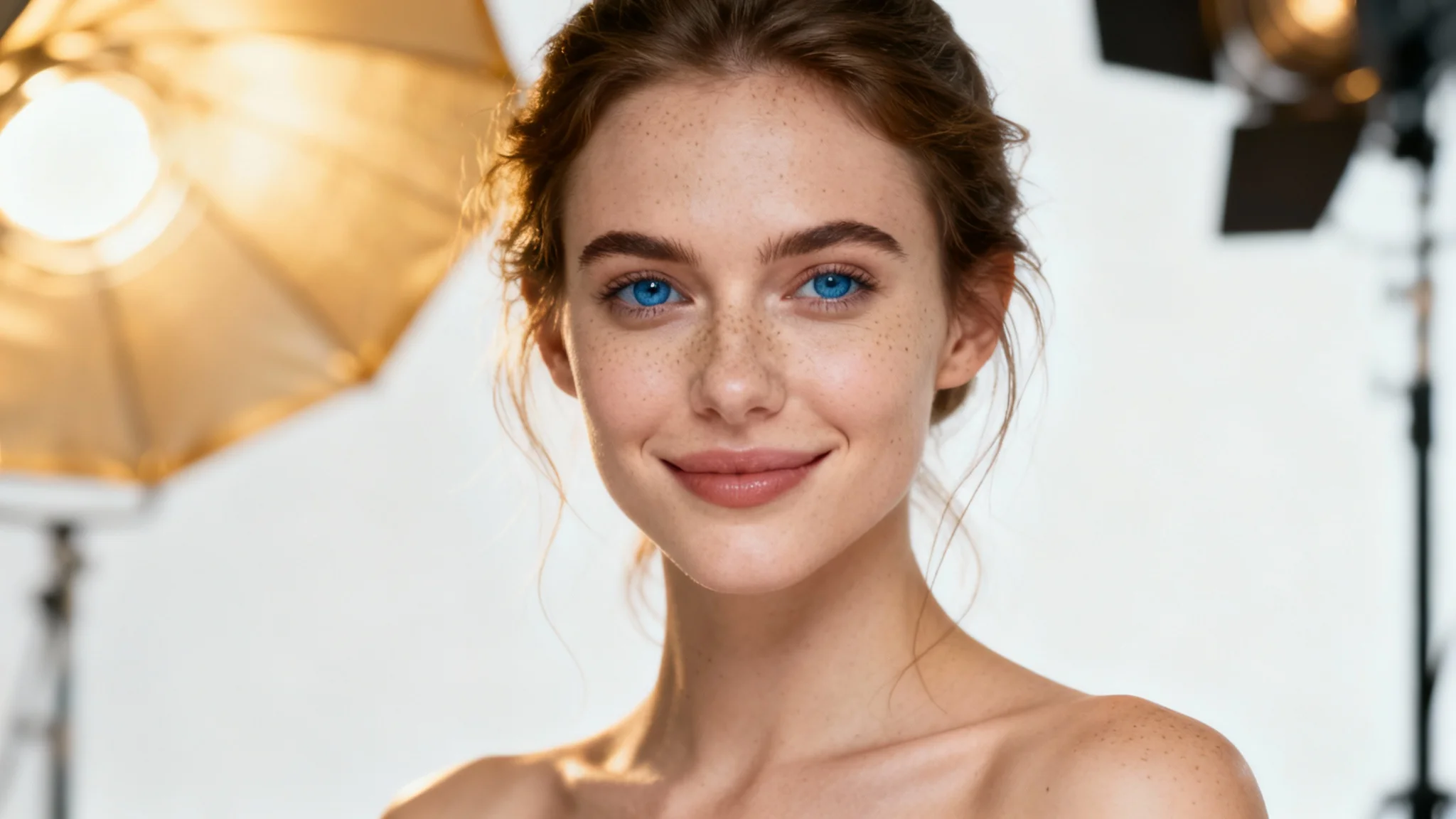
Enhanced Realism Architecture
20-billion parameter architecture delivering exceptional photorealism and microscopic detail fidelity.
Negative Prompt Support
Unlike Z-Image-Turbo, Qwen-Image-Edit-MAX fully supports negative prompts for precise element exclusion.
Quality Issues
"blurry, low quality, distorted anatomy"
Unwanted Elements
"text, watermark, signature, logo"
Style Exclusions
"cartoon, anime, painting, sketch"
Strategic negative prompting should be concise (5-10 terms) and focused on specific undesirable qualities.
Edit Mode vs Text-to-Image
Image Editing with References
Upload 1-3 images and apply natural language editing instructions while preserving core identity and structure.
Text-to-Image Generation
Create high-realism outputs from detailed prompts, though at premium cost of 20 generations per image.
Multi-Image Fusion
Combine elements from multiple references into single coherent output with photorealistic consistency.
Practical Examples
Product Photography
Positive Prompt
"Professional product photography of sleek wireless headphones, matte black finish with brushed aluminum accents, floating in mid-air against pure white seamless background, soft studio lighting with subtle reflections, ultra-high detail showing texture of materials, 8K resolution, commercial advertising quality, sharp focus throughout"
Negative Prompt
"blurry, low quality, distorted, cartoon, illustration, hand-drawn, cluttered background, harsh shadows, overexposed, underexposed, text, watermark, logo"
Portrait Editing
Reference 1: Original Portrait
Subject identity preservation
Reference 2: Lighting Style
Desired skin texture and illumination
Reference 3: Background
Environmental replacement context
8. Qwen-Image-Edit-2511: Versatile General-Purpose Generation 8. Qwen-Image-Edit-2511: Универсальная генерация общего назначения
Balanced control and creativity for diverse applications Сбалансированное управление и творчество для разнообразных приложений
CFG Control Управление CFG
Fine-tune balance between prompt adherence and creative interpretation. Точная настройка баланса между соответствием промпту и творческой интерпретацией.
LoRA Integration Интеграция LoRA
Apply custom styles alongside CFG control—a combination unavailable in Qwen-MAX. Применяйте пользовательские стили вместе с управлением CFG - комбинация, недоступная в Qwen-MAX.
Step Control Управление шагами
Match computational expenditure to project phase with acceleration options. Соответствуйте вычислительные затраты фазе проекта с опциями ускорения.
Negative Prompt Engineering Инженеринг негативных промптов
Constructing Effective Negatives Построение эффективных негативов
Quality Issues Проблемы качества
"blurry, low resolution, jpeg artifacts, noise" "размытое, низкое разрешение, артефакты JPEG, шум"
Anatomical Errors Анатомические ошибки
"bad anatomy, extra limbs, missing fingers" "плохая анатомия, лишние конечности, отсутствующие пальцы"
Unwanted Elements Нежелательные элементы
"text, watermark, signature, logo" "текст, водяной знак, подпись, логотип"
Common Pitfalls Распространенные ошибки
Over-negation Избыточное негативирование
Too many negative concepts can confuse the model or produce muted results. Слишком много негативных концепций могут сбить модель или привести к приглушенным результатам.
Contradictory Constraints Противоречивые ограничения
Ensure negative prompts don't conflict with positive descriptions. Убедитесь, что негативные промпты не противоречат позитивным описаниям.
Generic Negatives Общие негативы
Use specific technical terms rather than broad "bad quality" descriptions. Используйте конкретные технические термины, а не общие описания "плохое качество".
Practical Example: Character Design Consistency Практический пример: Согласованность дизайна персонажа
1. Base Generation 1. Базовая генерация
"Full body portrait of female cyberpunk mercenary, 28 years old, athletic build, short purple hair with undercut, cybernetic right arm, tactical leather jacket with neon blue accents..." "Полный портрет женщины-киберпанка наемника, 28 лет, спортивное телосложение, короткие фиолетовые волосы с андеркатом, кибернетическая правая рука, тактическая кожаная куртка с неоновыми синими акцентами..."
Record seed value for consistency in subsequent variations. Запишите значение сида для согласованности в последующих вариациях.
2. Style Application 2. Применение стиля
"CyberpunkNeon_v2" LoRA at 0.7 weight LoRA "CyberpunkNeon_v2" с весом 0.7
"RainyAtmosphere_v1" LoRA at 0.5 weight LoRA "RainyAtmosphere_v1" с весом 0.5
Use recorded seed with slight variations (+1, +2) for different poses. Используйте записанный сид с небольшими вариациями (+1, +2) для разных поз.
3. Batch Generation 3. Пакетная генерация
Generate 3-4 variations simultaneously with same prompt and parameters but different random seeds to explore pose, expression, or lighting variations while maintaining character consistency. Генерируйте 3-4 вариации одновременно с тем же промптом и параметрами, но разными случайными сидами для изучения поз, выражений или вариаций освещения, сохраняя согласованность персонажа.
CFG Control
Fine-tune balance between prompt adherence and creative interpretation.
LoRA Integration
Apply custom styles alongside CFG control—a combination unavailable in Qwen-MAX.
Step Control
Match computational expenditure to project phase with acceleration options.
Negative Prompt Engineering
Constructing Effective Negatives
Quality Issues
"blurry, low resolution, jpeg artifacts, noise"
Anatomical Errors
"bad anatomy, extra limbs, missing fingers"
Unwanted Elements
"text, watermark, signature, logo"
Common Pitfalls
Over-negation
Too many negative concepts can confuse the model or produce muted results.
Contradictory Constraints
Ensure negative prompts don't conflict with positive descriptions.
Generic Negatives
Use specific technical terms rather than broad "bad quality" descriptions.
Practical Example: Character Design Consistency
1. Base Generation
"Full body portrait of female cyberpunk mercenary, 28 years old, athletic build, short purple hair with undercut, cybernetic right arm, tactical leather jacket with neon blue accents..."
Record the seed value for consistency in subsequent variations.
2. Style Application
"CyberpunkNeon_v2" LoRA at 0.7 weight
"RainyAtmosphere_v1" LoRA at 0.5 weight
Use recorded seed with slight variations (+1, +2) for different poses.
3. Batch Generation
Generate 3-4 variations simultaneously with the same prompt and parameters but different random seeds to explore pose, expression, or lighting variations while maintaining character consistency.
9. Nano-Banana-Pro-Edit: High-Resolution Advanced Editing
Professional-grade editing with web search integration and 4K output
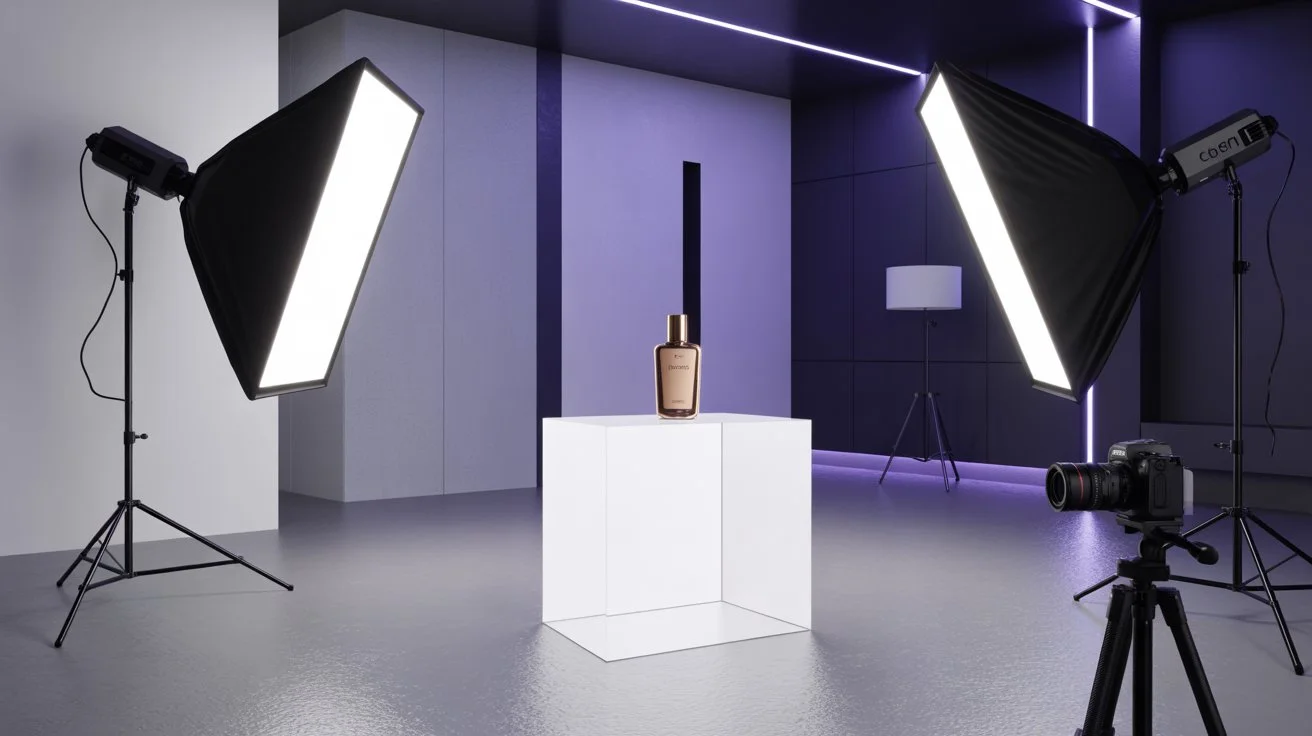
Web Search Integration
Automatically sources reference images from the internet based on your editing commands, ensuring contemporary accuracy and style alignment.
Resolution Options
1K/2K Tier (Same Cost)
Strong incentive to use 2K for 4x pixel data at same cost
4K Tier (Professional)
Print-ready resolution for posters, billboards, high-end product photography
Cost-Benefit Analysis
4K provides 16x pixels of 1K for ~1.3x cost (without search), offering exceptional value for large-format output despite higher absolute cost.
Aspect Ratio Control
Cinematic Widescreen (21:9)
For headers and landscape photography
Vertical Formats (9:16)
Instagram stories, mobile content
Standard Print (3:2, 4:3)
Traditional photography formats
Natural Language Editing Commands
Object Removal
"Using this image, remove the background crowd"
"Remove the watermark from the bottom right corner"
Object Addition
"Using this image, add a sunset sky in the background"
"Add a coffee cup on the table in the foreground"
Object Replacement
"Replace the blue shirt with a red dress"
"Change the car model to a vintage Porsche"
Style Transfer
"Change this image to an oil painting style"
"Convert to black and white film noir aesthetic"
10. Flux-2-Klein-Edit: High-Quality Image-to-Image Transformations
Advanced multi-reference style migration and precise editing control
Multi-Reference Architecture
Supports up to three simultaneous reference images enabling sophisticated multi-source workflows where you can combine style from one reference, composition from another, and subject identity from a third.
Style/Color"] --> D["Flux-2-Klein-Edit"] B["Reference 2
Composition"] --> D C["Reference 3
Subject Identity"] --> D D --> E["LoRA 1
Artistic Style"] D --> F["LoRA 2
Lighting"] D --> G["LoRA 3
Texture"] E --> H["Final Output"] F --> H G --> H style D fill:#1a1a1a,stroke:#d4af37,stroke-width:3px,color:#ffffff style H fill:#d4af37,stroke:#1a1a1a,stroke-width:3px,color:#1a1a1a style A fill:#f3f4f6,stroke:#6b7280,stroke-width:2px,color:#1a1a1a style B fill:#f3f4f6,stroke:#6b7280,stroke-width:2px,color:#1a1a1a style C fill:#f3f4f6,stroke:#6b7280,stroke-width:2px,color:#1a1a1a style E fill:#f3f4f6,stroke:#6b7280,stroke-width:2px,color:#1a1a1a style F fill:#f3f4f6,stroke:#6b7280,stroke-width:2px,color:#1a1a1a style G fill:#f3f4f6,stroke:#6b7280,stroke-width:2px,color:#1a1a1a
Cost Structure and Optimization
Square Format Costs
Horizontal/Vertical Costs
Optimization Strategies
- • Prefer horizontal/vertical formats for multi-reference work
- • Test with single references before committing to triple-reference
- • Combine LoRAs with single references instead of multiple references
- • Use detailed prompts to replace visual references where possible
Negative Prompt Integration
Unlike Nano-Banana-Pro-Edit, Flux-2-Klein-Edit supports negative prompts during editing workflows, allowing you to specify elements to remove or avoid while preserving the core structure from reference images.
Artifact Removal
"remove blur, remove noise, remove compression artifacts"
Object Exclusion
"no text, no logos, no watermarks, no signature"
Style Prevention
"not cartoon, not illustrated, not anime style"
Practical Examples
Style Migration Example
Reference 1: Photograph
Subject identity preservation
Reference 2: Painting
Target artist style transfer
Reference 3: Landscape
Environmental context and color palette
LoRA Enhancement
"DigitalPainting_v3" at 0.4 weight for painterly quality
Cost: 21 generations (3 references, square format)
Photorealistic Editing
Positive Prompt
"Professional portrait photography, clean background, sharp focus"
Negative Prompt
"blurry, low quality, text, watermark, logo, frame, distorted anatomy"
Configuration
Single reference + CFG 12-15 + 40-50 steps
Cost: 10-11 generations (single reference, horizontal format)
11. Advanced Techniques and Workflows
Mastering professional-grade image generation and editing
ControlNet Mastery
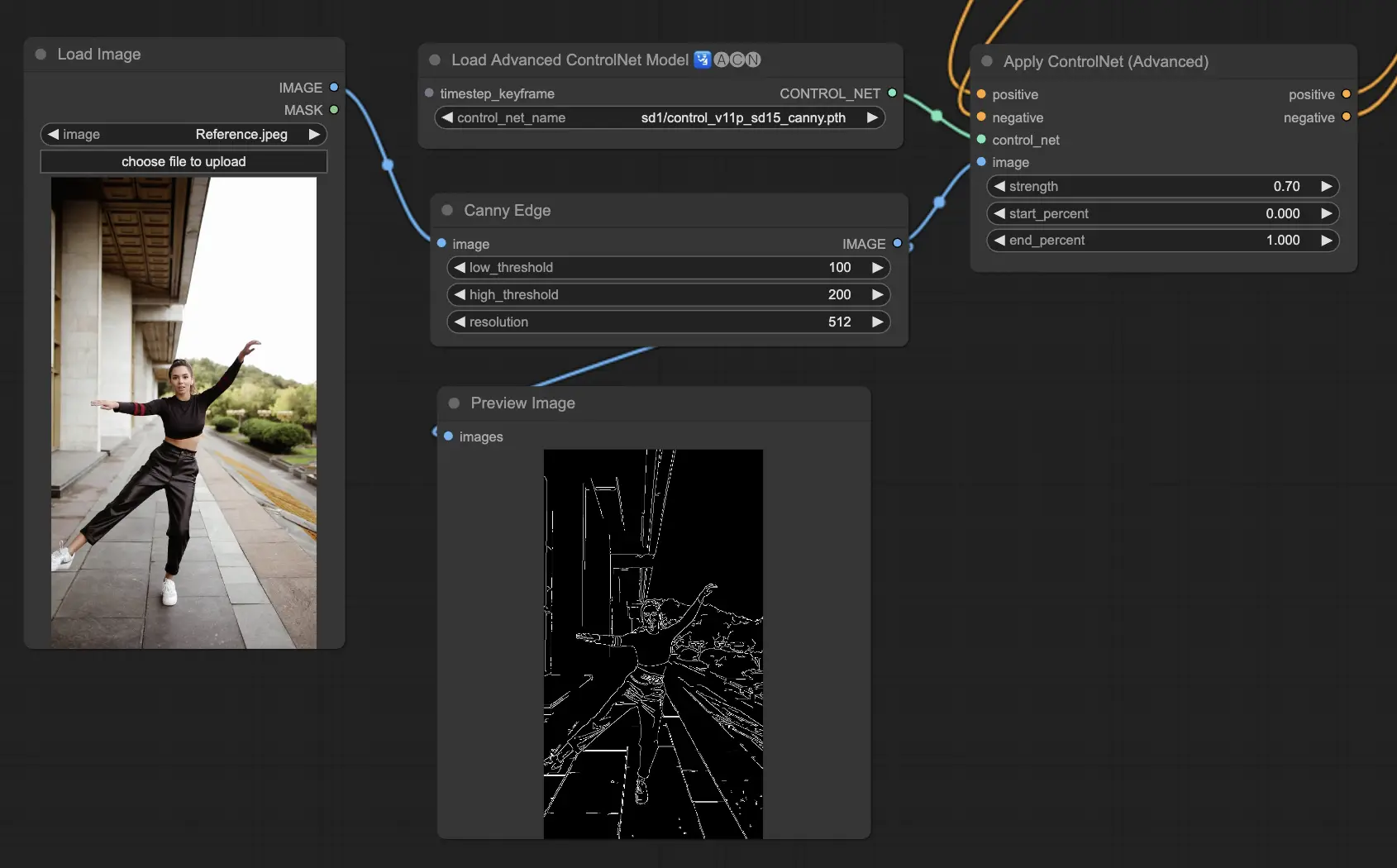
Canny Edge Detection
Architectural precision and product design with exact structural adherence
Depth Maps
Spatial composition control for interior design and landscape photography
OpenPose
Character positioning and animation pre-visualization
LoRA Stacking

3 LoRA Combination
Character + Style + Detail for complex aesthetic layering
Weight Balancing
0.6 primary, 0.4 secondary, 0.3 enhancement hierarchy
Conflict Resolution
Adjust weights or merge externally for cohesive results
Prompt Engineering
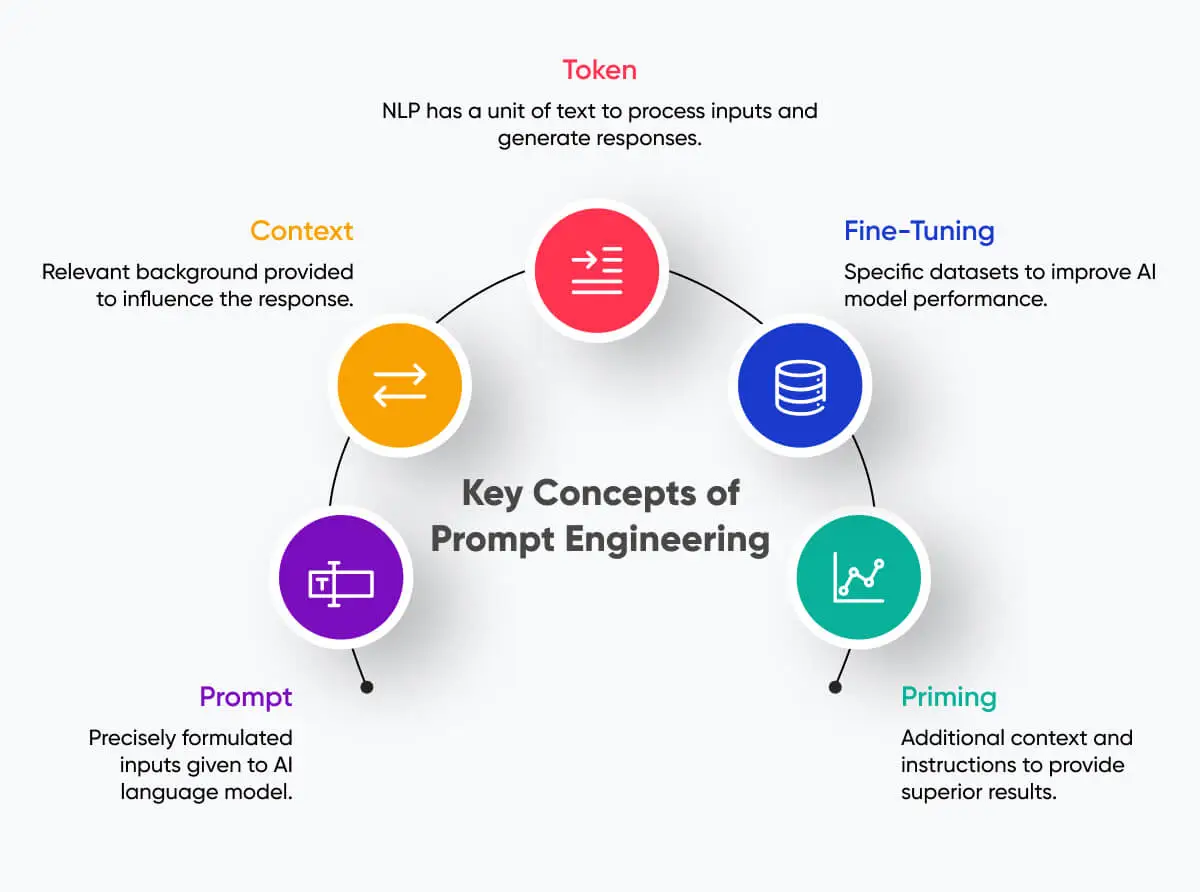
Prompt Expansion
Demonstrate effective patterns while maintaining precise control
Safety Configuration
Configure safety checker for legitimate artistic expression
Seed Control
Record seeds for reproducibility and controlled variations
Advanced Workflow Integration
Industry-Specific Strategies
Fashion Industry
Flux-2-Klein-Edit with multiple references for lookbook consistency, Nano-Banana-Pro-Edit for 4K e-commerce product shots
Architecture
Z-Image-Turbo with Depth ControlNet for spatial accuracy, Qwen-Image-Edit-MAX for photorealistic final renders
Gaming/Concept Art
Z-Image-Base with style LoRAs for rapid iteration, Qwen-Image-Edit-2511 for detailed character finals
Professional Optimization
Budget Management
Use Z-Image-Turbo for exploration, transfer successful concepts to premium models for final refinement
Batch Processing
Generate multiple variations simultaneously for efficient exploration, then refine selected concepts
Gallery Organization
Maintain project folders, master reference collections, and document successful combinations
12. Understanding Generation Economics
Optimizing costs across different pricing models and usage scenarios
Per-Megapixel Pricing
Z-Image-Turbo
2 gens/MP (most economical)
Z-Image-Base
3 gens/MP square, 2 gens/MP oriented
Qwen-Edit-2511
8 gens/MP square, 7 gens/MP oriented
Qwen-Edit-MAX
20 gens/image fixed (variable per-MP rate)
Fixed Resolution
1K/2K Tier
23 gens (no search) / 39 gens (with search)
Same cost for both resolutions!
4K Tier
31 gens (no search) / 78 gens (with search)
Web Search Premium
+16 gens (1K/2K), +47 gens (4K)
Reference Scaling
Flux-2-Klein-Edit
10-11 gens (1 ref), 15-20 gens (3 refs)
Orientation Impact
Square costs more than horizontal/vertical
Optimization
Test with single references first
Cost Comparison by Use Case Сравнение стоимости по сценарию использования
Concept Exploration Исследование концепций
Controlled Production Контролируемое производство
High-End Retouching Высококлассная ретушь
4K Professional 4K профессиональное
Budget Management Strategies Стратегии управления бюджетом
Cost Optimization Оптимизация стоимости
Exploration Phase Фаза исследования
Use Z-Image-Turbo (2 gens/MP) for concept testing and prompt refinement Используйте Z-Image-Turbo (2 генерации/МП) для тестирования концепций и доработки промптов
Batch Generation Пакетная генерация
Generate multiple variations simultaneously to maximize exploration per credit Генерируйте несколько вариаций одновременно для максимизации исследования на кредит
Resolution Strategy Стратегия разрешения
Use 2K resolution (same cost as 1K) for standard work, reserve 4K for finals Используйте разрешение 2K (та же стоимость, что и 1K) для стандартной работы, резервируйте 4K для финалов
Value Maximization Максимизация ценности
LoRA Efficiency Эффективность LoRA
Combine LoRAs with single references rather than multiple references for style diversity Комбинируйте LoRA с одиночными референсами вместо множественных для разнообразия стилей
Parameter Optimization Оптимизация параметров
Test with conservative settings before committing to high-cost configurations Тестируйте с консервативными настройками перед переходом к конфигурациям с высокой стоимостью
Gallery Management Управление галереей
Organize reusable assets to avoid repeated uploads and configuration Организуйте переиспользуемые ассеты, чтобы избежать повторных загрузок и конфигураций
13. Best Practices and Troubleshooting 13. Лучшие практики и устранение проблем
Essential guidelines for successful image generation and problem resolution Основные рекомендации для успешной генерации изображений и решения проблем
Recommended First-Generation Sequence Рекомендуемая последовательность первой генерации
Z-Image-Turbo
Enable Prompt Expansion, simple descriptions Включите расширение промптов, простые описания
Detailed Prompts Подробные промпты
Nine-component structure practice Практика девятикомпонентной структуры
ControlNet
Simple photo with Preprocess Mode Простое фото с режимом предварительной обработки
Qwen-2511
Negative prompts and CFG adjustment Негативные промпты и настройка CFG
Editing Редактирование
Nano-Banana natural language commands Команды на естественном языке Nano-Banana
Common Mistakes Распространенные ошибки
Negative Prompts in Wrong Models Негативные промпты в неправильных моделях
Using negative prompts with Z-Image-Turbo or Nano-Banana-Pro-Edit (which don't support them) Использование негативных промптов с Z-Image-Turbo или Nano-Banana-Pro-Edit (которые их не поддерживают)
Solution: Решение: Embed all constraints in positive prompts ("clean background without text") Встраивайте все ограничения в позитивные промпты ("чистый фон без текста")
Excessive CFG Values Чрезмерные значения CFG
Using CFG >15 causing over-saturation and artifacts Использование CFG >15 вызывающее перенасыщенность и артефакты
Solution: Решение: Stay within 7-12 range for optimal results Оставайтесь в диапазоне 7-12 для оптимальных результатов
Low Resolution References Референсы низкого разрешения
Uploading images <512px causing poor style transfer Загрузка изображений <512px вызывающая плохой перенос стиля
Solution: Решение: Use minimum 1024px images for references Используйте изображения минимум 1024px для референсов
Quick Start Templates Шаблоны быстрого старта
Portrait Photography
"Medium close-up portrait of [subject], [age] years old, [features], wearing [clothing], [environment], soft natural lighting from [direction], [mood] atmosphere, photorealistic style, shot on 85mm lens f/1.8, 8K resolution, sharp focus, no blur, no text"
Product Photography
"Professional product photo of [item], [material] finish, floating against [background], studio lighting with soft shadows, commercial photography style, 8K detail, sharp focus throughout, no text, no watermark, clean composition"
Character Design
"Full body concept art of [character type], [age], [features], wearing [outfit], [pose description], [environment], cinematic lighting, digital painting style, highly detailed, 8K, sharp focus, correct anatomy"
Technical Support and Community Resources Техническая поддержка и ресурсы сообщества
Tutorial Channel Канал обучения
Error Resolution Решение ошибок
Insufficient credits: Недостаточно кредитов: Check Profile, reduce parameters, or switch models Проверьте профиль, уменьшите параметры или переключите модели
Safety check triggered: Сработала проверка безопасности: Review prompt or disable for legitimate artistic content Проверьте промпт или отключите для легального художественного контента
ControlNet failed: Сбой ControlNet: Check image resolution and feature clarity Проверьте разрешение изображения и четкость признаков